Make Scientific Software Speak: An MCP Server That Explains Its Own Parameters
Think of your scientific software documentation as an interactive wiki. An MCP server that transforms hundreds of complex configuration settings into natural-language answers for researchers and engineers in the community.
Research note · September 16, 2026 · 5 min read
The Silent Software Problem
Behind every complex scientific application lies a labyrinth of configuration parameters — often understood only by a handful of main developers. This is particularly true for the DDF Pipeline, a self-calibration and imaging software designed for the LOFAR (Low Frequency Array) radio telescope. Here, a single run involves hundreds of configuration parameters, and changing just one can alter weeks of computing costs or the final scientific result.
The DDF Pipeline source code — today, the only place where the meaning of these hundreds of parameters truly lives.
For the developers who maintain the software, these settings are familiar companions. For the community who use it, they are a challenge. The “right” configuration is never fixed: it depends on the volume of input data, the computing system that will perform the processing, and, above all, the user’s specific needs. Documentation alone cannot capture this context. As a result, this critical knowledge rarely leaves the source code — github.com/mhardcastle/ddf-pipeline — leaving powerful software inaccessible to those who need it most.
Our approach flips the script. Instead of asking users to memorize hundreds of settings, we build a conversational interface for the code itself. We structure the application’s parameter space into a searchable knowledge base, embed it, and expose it through an MCP (Model Context Protocol) server. This transforms the software from a silent tool into an explainable assistant that researchers can simply ask.
The Case Study: What the Parameters Really Control
The DDF Pipeline turns LOFAR observations into wide-field sky surveys. Its outputs are the images that illustrate astronomy papers — and every one of them carries the fingerprint of the parameter decisions made upstream: pixel scale, restoring beam, masking, compression, CPU allocation. The figures below come from LoTSS-DR3, a data release produced with the very software whose parameters we set out to explain.
Top: re-projection of the LoTSS-DR3 mosaic images. Bottom: the corresponding RMS image. The yellow and blue outlines show the LoTSS-DR1 and LoTSS-DR2 areas, covering 2% and 27% of the northern sky, respectively; the black outline shows the LoTSS-DR3 coverage of 88%. The small grey dots mark the 3168 LoTSS pointings, of which 2551 are included in this release. Source: LoTSS Data Release 3
Example 45-deg2 region of the extragalactic sky from LoTSS-DR3 — typically around 30,000 sources detected above 4.5×RMS. Prominent are the radio galaxies NGC 315 (bottom) and 3C 31 (lower centre left), and the spiral galaxy M 31 (top).
Region of the Galactic plane with the highest density of known supernova remnants in LoTSS-DR3: 190 deg2 centred at a Galactic longitude of 43.5°, including G054.4-00.3, G049.2-00.7, G043.9+01.6, G039.7-02.0, and G034.7-00.4.
These images are the stakes. Every pixel in them is conditioned by parameters that today only a few maintainers fully master.
The Solution: Giving the Software a Voice
How do we teach an AI about our software? We don’t just feed it raw code. We build a structured knowledge map (or ontology) of the parameter space. Think of it as giving the AI a precise table of contents and a technical glossary for the software. This ensures it never hallucinates a parameter that doesn’t exist, since every answer is based on the actual codebase.
Step one — Structure the Knowledge
Building this structured map is a multidisciplinary exercise . We work with developers to represent the application faithfully, and with end-users to keep it legible. The key information is harvested from the codebase and converted into a standardized format (Turtle/TTL) that machines can understand.
Visualization of the DDF Pipeline knowledge structure: parameters grouped into sections, with their data types, default values, units, and descriptions.
This structured data is then turned into a vector database — a representation that a lightweight embedding model (here, all-MiniLM-L6-v2) can search in natural language.
Step two — Expose it through MCP
MCP, the Model Context Protocol, is the open standard that lets AI assistants such as Claude Code and OpenCode connect to external tools and data sources. It becomes the bridge between researchers and this knowledge base: the server hosts the embedding model, communicates with the database, and exposes a REST API that answers natural-language queries with the main nodes of the structure.
The MCP server’s API documentation: query the knowledge base in natural language, receive structured nodes in return.
Ask "How can I change the image size in pixels?" and the server answers with ranked nodes drawn from the structure:
- image.imsize — section image, data type int, default 20000, "Image size in pixels", unit pixel.
- image.cellsize — data type float, default 1.5, "Pixel size in arcsec", unit arcsec.
- machine.NCPU_DDF — "Number of CPUs to use for DDF", auto-selected when left unset.
- masking.tgss_radius — "TGSS mask radius in pixels", default 8.0, unit pixel.
No guesswork and no hallucinated parameters: every answer is anchored in the real codebase, through this structured knowledge.
Step three — A sovereign conversational interface
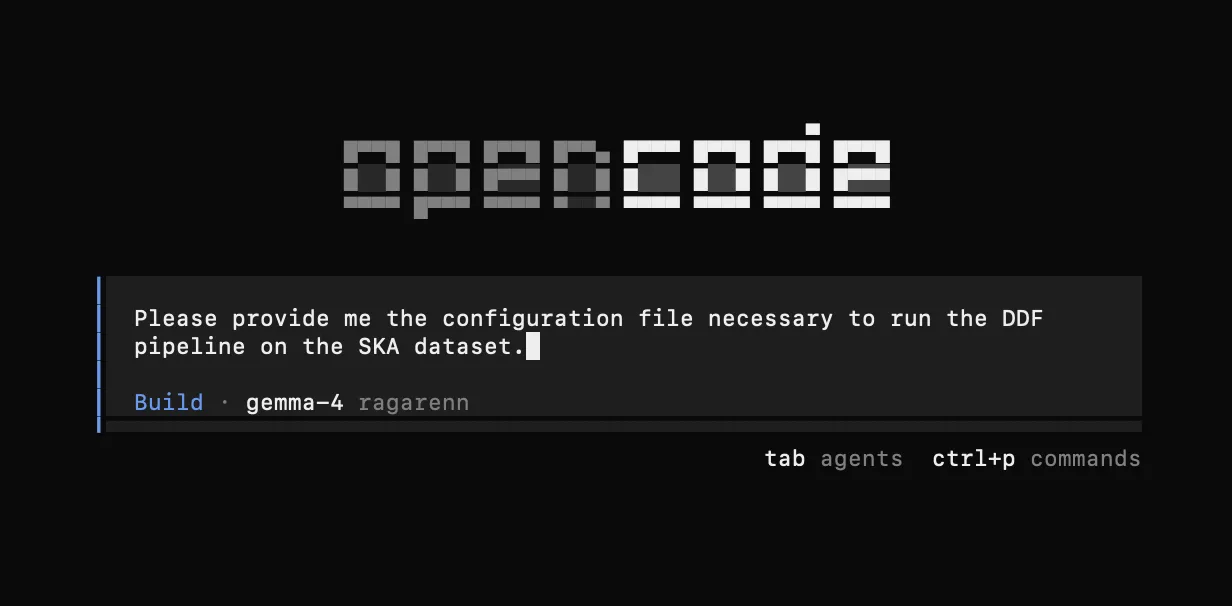
The final piece is the interface where researchers actually ask. We use Ragarenn, a sovereign platform hosting large language models accessed through the eduGAIN identity federation — a setup designed for data privacy, where nothing leaves a trusted perimeter. It exposes a standard OpenAI-compatible API, and we connect OpenCode (or Claude Code) to both the model and the MCP server, so the conversation happens inside the coding interface researchers already use.
The Result: From Documentation to Dialogue
Connect the MCP server to your interface of choice and the software finally answers for itself. The decisive strength is modularity.
You can operate in a strict mode, where the model answers only from the real information contained in the structured knowledge base. In this mode, if a parameter isn’t defined in the map, the AI won’t invent it. Every parameter it mentions truly exists in the code.
Alternatively, you can enrich those grounded answers with a web-connected model to bring in additional external context (like best practices from similar projects). Both modes share the same critical guarantee: the source of truth is the software itself, not the AI’s training data.
Documentation assumes a reader who is willing to dig through pages of text. This system assumes a conversation. By exposing the hidden parameter space of scientific software as something an AI can read and explain, we turn a silent tool into a colleague who knows the codebase — and let scientists spend their time looking at the sky, not at the parameters.